Welcome to the Pycom forum Forum
    • \[\[global:header.categories\]\]
    • \[\[global:header.recent\]\]
    • \[\[global:header.tags\]\]
    • \[\[global:header.popular\]\]
    • Login
    1. Home
    2. Tags
    3. reboot problem

    Explore Pybytes | Official Documentation | Report a Firmware Bug/Issue | GitHub

    Log in to post

    • All categories
    • N

      Problems with the files names "boot" and "main" and rebooting device

      Watching Ignoring Scheduled Pinned Locked Moved FiPy pymakr boot.py main.py fipy reboot problem
      3
      0 Votes
      3 Posts
      383 Views
      robert-hhR
      @nervencid You can use any name for your scripts. Only boot.py and main.py are executed as part of the boot process. If you want to run your script then, you have to add a statement like: import myscript e.g. to main.py. You should be able to stop your script with Ctr-C from the console, unless you disable that in your code. To isolate the problems, try running your code with a simple terminal like Putty. Note: You can change the name of the file which is run instead of main.py with machine.main(). The only useful place for that command is in boot.py.

    • Nagarjuna ReddyN

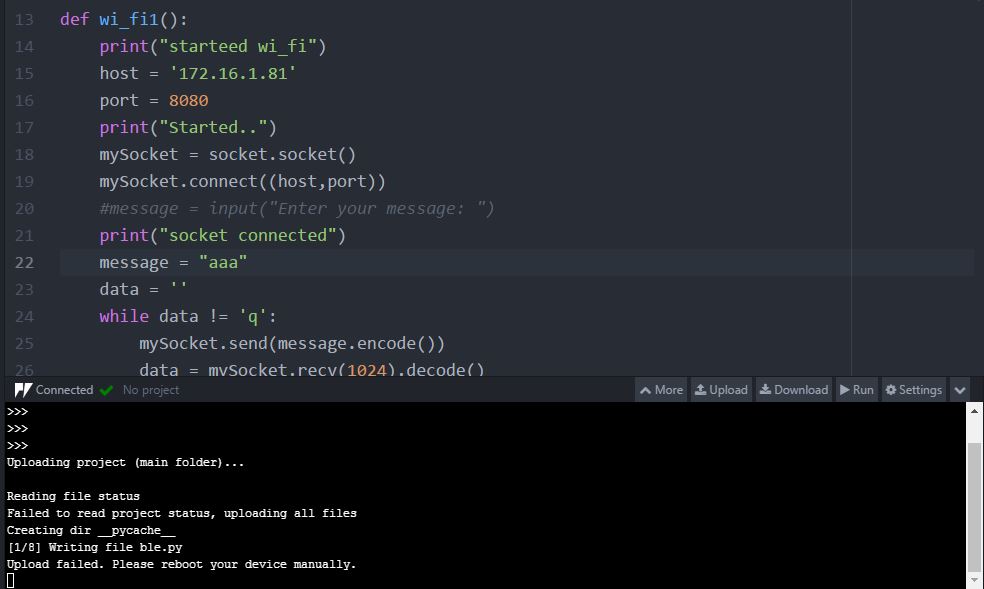
      LopY Reboot problem

      Watching Ignoring Scheduled Pinned Locked Moved LoPy upload failure reboot problem lopy reboot lopy upload fai reboot device
      3
      1
      0 Votes
      3 Posts
      1k Views
      Nagarjuna ReddyN
      @seb bolded text Thank you your valuable information
    • 1 / 1